

AJICA WORKFLOW GUIDE
One plan for multiple coding agents.
Use Claude Code and Codex on the same project with a clear order, one owner for each task and a record the next agent can read.
Split the outcome before opening another terminal.
More sessions create more places to lose context. Start by defining the change, its acceptance criteria and the files each task may touch. Ajica keeps that plan, the owner decisions and the recorded checks together on a local board.
Connect the tools to one project
Run Ajica and connect Claude Code and Codex CLI separately using the integration guides below. In each session, ask the agent to read the Ajica skill and resolve the intended project. Keep the same canonical project folder throughout this sequential example.
Set up Claude Code with Ajica · Set up Codex with Ajica
If a CLI is already open, have the agent register that running session with Ajica before starting work from the board. Otherwise a board action can launch another CLI. An existing session may need your next prompt to receive a queued task or answer.
Use one coding session at a time in a shared working tree. Finish its edits and checks before the next session starts. Claiming a card records task ownership; it does not lock the repository or isolate another terminal.
Example: add command-menu navigation
Suppose your app has a command menu that only works with a mouse. You want keyboard navigation without changing the existing shortcuts. Use Claude Code for the behavior brief and read-only review, and Codex for implementation in this example.
The shared outcome
Arrow keys move through results. Enter activates the focused result. Escape closes the menu and returns focus to its launcher. Existing shortcuts keep working. Before implementation, decide whether closing the menu should also clear the query.
Create three tasks with an explicit order
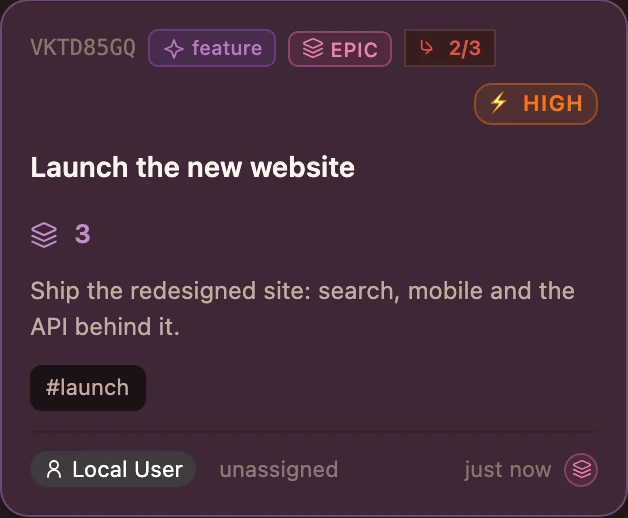
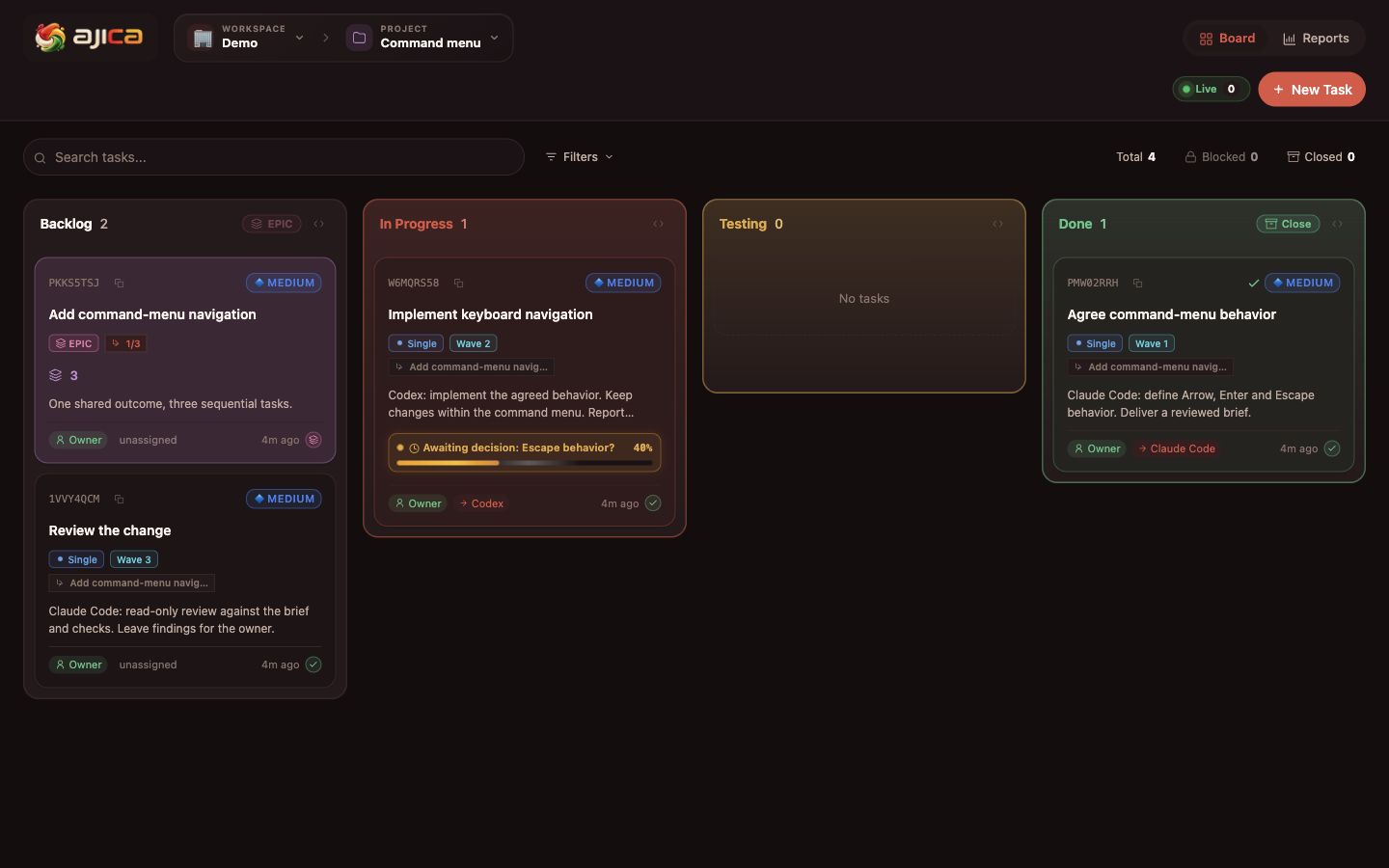
Create an epic for the outcome and three required single tasks underneath it. Give each task its own scope and expected output. Ask an agent to save an execution plan with waves 1, 2 and 3 using the actual child task IDs. An epic is a container, not a task for a coding agent to claim.
| Order | Owner | Task | Expected output |
|---|---|---|---|
| 1 | Claude Code | Agree command-menu behavior | A brief covering keys, focus behavior and the owner’s decision. |
| 2 | Codex | Implement keyboard navigation | A scoped diff and recorded checks against the agreed brief. |
| 3 | Claude Code | Review the change | Review findings and any remaining decisions for the owner. |
Earlier waves must finish successfully before a later task can be claimed. This orders the tasks; it does not prevent unrelated processes from editing files. For this walkthrough, start each step from its existing CLI session and leave automatic orchestration off.
1. Agree the behavior with Claude Code
Ask Claude to read and claim the first task. Limit this task to the behavior brief; implementation files stay untouched. Review the acceptance criteria, save the brief on the card and finish this task before handing the project to Codex.
Example prompt for the first task
Read the Ajica skill and the command-menu behavior task. Resolve this project and attach this existing session. Claim the single task, not its epic. Define Arrow, Enter and Escape behavior and ask about unresolved choices on the card. Do not implement the menu or launch another coding CLI. Record the brief and checks before completing the task.
2. Let Codex implement the agreed scope
After the first task is Done, stop its editing activity and open the implementation task in your connected Codex session. Have Codex read the brief and decisions, claim its task and limit changes to the command menu and relevant tests. Keep unrelated fixes in separate cards.
Make the owner decision visible
Codex asks: “Should Escape close the menu or clear the query first?”
Owner answers on the task: “Close the menu and preserve the query.”
The task stays assigned to Codex while it waits. After receiving the answer, Codex resumes the same task and records that decision with the work. If the terminal is idle, send its next prompt so it can receive queued input.
3. Run checks before finishing implementation
Codex moves the task to Testing and runs the project’s relevant checks. Include focus movement, Enter activation, Escape closing, focus returning to the launcher and existing shortcuts. If a check fails, return the task to In Progress, record the failure and fix it before testing again.
A progress percentage or a process exit is not evidence that these checks passed. Record the commands, results and any limits. Complete the task only when its acceptance criteria are satisfied.
4. Review with Claude Code, then decide as owner
Once implementation is Done and its session has stopped editing, let Claude claim the review task. Have it compare the brief, recorded decision, diff and checks. Keep source edits out of this review. If it finds a defect, record it and let the implementation owner fix it before repeating the review.
Configure the reviewer’s tool permissions separately. A task description is not a filesystem sandbox. The owner still decides whether to accept, merge or deploy the change.
The epic completes after all its required tasks succeed. That records completion of the planned work; merging and deployment remain separate actions.
Claims, wave order, waiting/resume, failed-check recovery and epic completion checked on 2 November 2026 in an isolated Ajica rehearsal. No coding-agent session or model performance was measured.
Leave the next agent something it can verify
Put this information on the task before the next session starts. The next agent should read the current repository and the card, rather than reconstructing the work from someone else’s terminal conversation.
- Scope: what changed, which files were touched and what remains outside this task.
- Decisions: the owner’s answer and how it affected the behavior.
- Evidence: a diff or commit reference, check commands and their results, plus known limits.
- Next step: who owns the next task and what must be reviewed before another edit.
Choose when parallel work is appropriate
The walkthrough is sequential because every step depends on the previous result. Keep that order when tasks share files, generated outputs, dependency changes or a test environment. Different task names alone do not make concurrent edits independent.
Git worktrees can give branches separate working directories while sharing repository data. For parallel work, first separate the working directories and responsibilities, choose who integrates the changes and test the combined result.
Git worktree documentationAjica’s board and execution plan do not create filesystem isolation or merge branches for you. Configure each project/runtime binding for the directory it actually owns before launching work. Keep one executor per working tree; avoid overlapping writers even when they have different cards.
Questions about the workflow
Do I need both Claude Code and Codex?
No. They illustrate two tools sharing a task record. You can follow the same sequence with one connected coding agent, or choose different supported tools for the roles. Each tool needs its own setup and authentication.
Will a board reply wake an idle chat?
Queued inputs are delivered when the attached session reaches its next activity or supported hook point. They do not wake an idle model. Prompt the session to continue when needed, then have it resume progress on the task.
Does claiming a task lock the files?
No. A claim prevents another actor from taking that same task. Two different cards can still point at the same files. Use sequential execution in one working tree, or prepare separate working directories and an integration plan for independent work.
Does Done automatically merge the code?
No. Done records the task result. Review the evidence and make the merge or deployment decision through your normal workflow. A required cancelled task does not count as successful completion of an epic.
Try one feature with a clear handoff.
Connect your tools, write a small brief and run the plan one task at a time. Keep the owner’s decisions and the checks on the board so the next step starts with the right context.